
Convert PDF to Anki Flashcards: Three Study Methods
Oct 07, 2026 · 13 min read · The Quizard Team
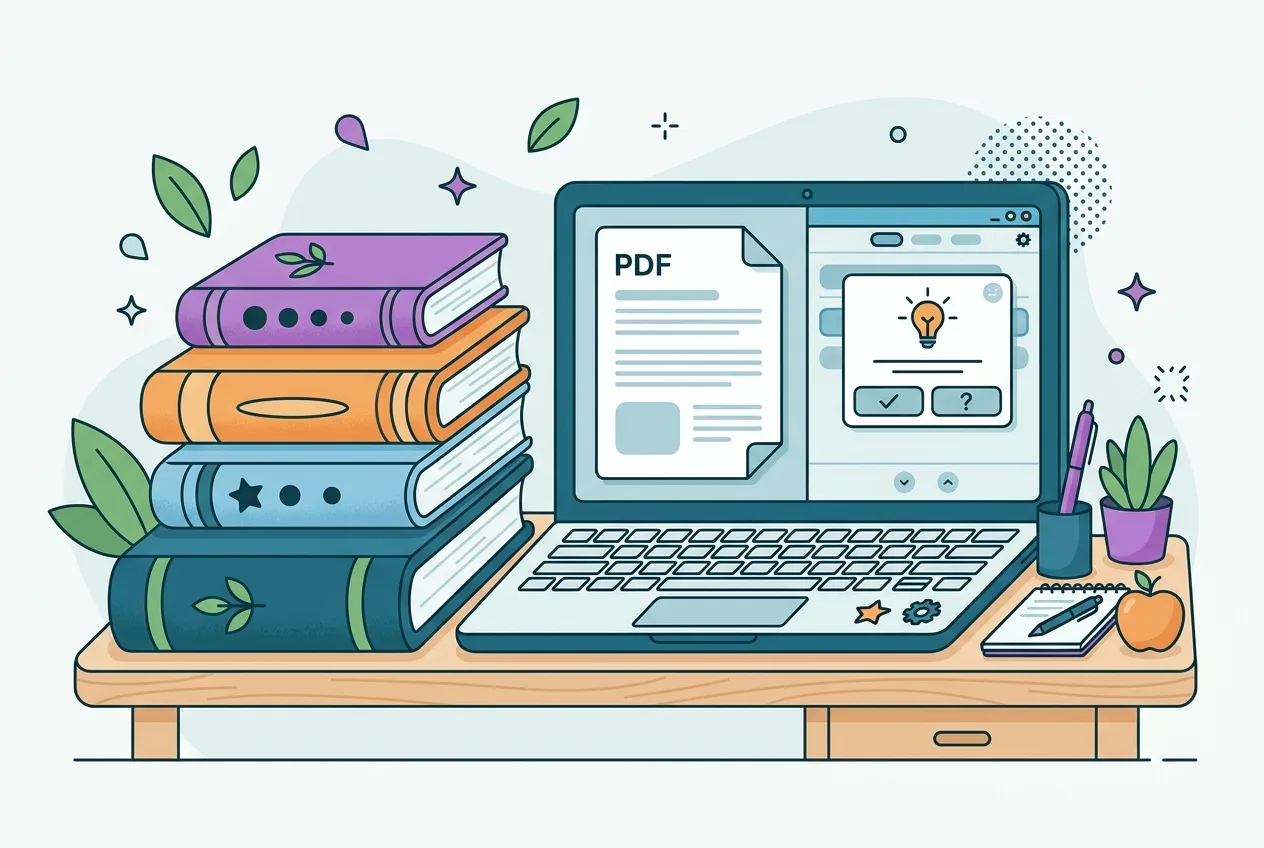
Converting PDFs, such as lecture slides or textbook chapters, into Anki flashcards can significantly enhance your study process by leveraging active recall and spaced repetition. There are three primary ways to approach this: manual creation, importing extracted text, or using AI tools to generate cards directly from your documents.
Each method offers distinct advantages and drawbacks regarding time investment, depth of processing, and contextual accuracy. Understanding these approaches allows you to choose the most effective strategy for your specific study needs and the type of PDF material you are working with.
Manual Creation: The Active Learning Approach
Manually creating Anki flashcards from your PDFs involves reading through the material, identifying key concepts, and then typing out questions and answers for each card. This method is the most time-consuming but offers the deepest level of engagement with your study material.
Process of Manual Creation
- Read and Understand: Go through your PDF document section by section. As you read, actively identify important definitions, theories, formulas, examples, and relationships between concepts. Do not simply copy; strive to understand the information.
- Formulate Questions: For each key piece of information, craft a clear, concise question that tests your understanding. A good flashcard question should have one specific answer. Avoid vague questions or those that require long, essay-style responses.
- Example: Instead of "Tell me about photosynthesis," ask "What are the primary reactants in photosynthesis?"
- Provide Answers: Write the corresponding answer on the back of the card. Ensure the answer is accurate and complete but also brief enough for efficient recall.
- Add Context or Clues (Optional): For complex topics, you might add a hint, an image, or a reference to the specific page number in your PDF on either the front or back of the card. This helps clarify the question or provides a prompt if you get stuck.
- Input into Anki: Open Anki and add a new card. Copy your question to the "Front" field and your answer to the "Back" field. Assign relevant tags (e.g., "Biology," "Lecture 3," "Photosynthesis") to help organize your deck.
Pros and Cons
Pros:
- Deep Processing: The act of synthesizing information into question-and-answer pairs forces you to actively engage with the material, leading to a deeper understanding and better retention.
- Customization: You have complete control over the wording, format, and content of each flashcard, tailoring them precisely to your learning style and the specific nuances of your course material.
- Identification of Gaps: The process of formulating questions often reveals areas where your understanding is weak, allowing you to focus your study efforts.
Cons:
- Time-Consuming: This is by far the slowest method, especially for lengthy PDFs or when you have limited study time before an exam.
- Tedium: The repetitive nature of typing out many cards can become tedious and draining, potentially leading to burnout.
- Subjectivity: The quality of the flashcards depends entirely on your ability to identify important information and formulate effective questions.
Tips for Efficiency in Manual Creation
- Focus on High-Yield Information: Prioritize the most critical concepts, facts, and principles that are likely to appear on exams.
- Use Keyboard Shortcuts: Learn Anki's shortcuts for adding cards, navigating fields, and styling text to speed up your input.
- Create Card Templates: Design specific card types for different kinds of information (e.g., definitions, processes, problem-solving steps) to maintain consistency and efficiency.
- Batch Processing: Dedicate specific blocks of time solely to flashcard creation, rather than switching back and forth between reading and card making.
Importing Text from PDF: The Semi-Automated Approach
This method involves extracting text directly from your PDF and then formatting it into a suitable structure for bulk import into Anki. It's faster than manual creation but requires careful attention to text extraction and formatting.
Process of Importing Text
- Extract Text from PDF:
- Copy-Paste: For PDFs that allow text selection, you can manually copy sections of text. This works best for short passages, definitions, or bulleted lists.
- PDF to Text Converter: Use an online tool or a PDF reader application to extract all text from your document. Be aware that the quality of extraction can vary, especially with scanned PDFs or complex layouts, often resulting in formatting issues.
- Clean and Format Text for Anki: Anki typically imports cards from plain text files (e.g., CSV or TXT) where the front and back of each card are separated by a delimiter (like a tab or comma).
- Spreadsheet Software: Paste your extracted text into a spreadsheet program (like Microsoft Excel, Google Sheets, or LibreOffice Calc).
- Structure Your Data: Create at least two columns: one for the "Front" of the card and one for the "Back." Manually or semi-manually arrange your extracted information into these columns.
- Example: If your PDF has "Term: Definition" pairs, put "Term" in column A and "Definition" in column B.
- Add Tags: You can add an optional third column for tags to categorize your cards during import.
- Clean Up: This is a crucial step. Remove any unwanted characters, line breaks, or formatting artifacts introduced during extraction. Ensure each row in your spreadsheet represents a single flashcard.
- Save as CSV or TXT: Once your data is clean and structured, save your spreadsheet as a Comma Separated Values (CSV) file or a tab-delimited text file.
- Import into Anki:
- Open Anki and go to File > Import.
- Select your CSV/TXT file.
- In the import dialogue, choose the correct deck, card type, and ensure the "Field Separator" matches what you used in your file (e.g., comma, tab).
- Map your spreadsheet columns to the corresponding Anki fields (e.g., Column 1 to "Front," Column 2 to "Back," Column 3 to "Tags").
- Click "Import."
Pros and Cons
Pros:
- Faster than Manual: Significantly reduces the time spent typing out individual cards, especially for large volumes of text.
- Good for Structured Data: Ideal for lists, glossaries, definitions, or question-and-answer sections that are already clearly delineated in the PDF.
- Retains Original Wording: Can preserve the exact phrasing from the PDF, which might be important for specific definitions or direct quotes.
Cons:
- Requires Cleanup: Extracted text often comes with formatting errors, unwanted characters, or broken sentences, necessitating careful manual cleanup.
- Loss of Context: Simply extracting text often removes the visual layout and surrounding information that provides context in the original PDF. You might end up with cards that are hard to understand in isolation.
- Limited Question Formulation: This method is best for direct extraction. It doesn't inherently help you formulate analytical or higher-order thinking questions.
- Image Handling: Text extraction tools typically do not extract images, which must be added manually if needed.
AI Generation from PDF: The Smart and Contextual Way
The most efficient and increasingly sophisticated method is to use AI tools that can read your PDF documents and automatically generate flashcards. This approach combines speed with the ability to maintain context, a significant advantage over simple text extraction.
How AI Generation Works
AI tools designed for educational content generation leverage natural language processing (NLP) to understand the content of your PDFs. When you upload a document:
- Content Analysis: The AI processes the text, identifies key concepts, terms, definitions, and relationships within the material.
- Question Formulation: Based on its analysis, the AI generates relevant questions and answers, much like a human would during manual creation. Some advanced tools can even produce different question types (e.g., multiple choice, true/false, fill-in-the-blank) in addition to basic Q&A flashcards.
- Contextual Linking: A key feature of these tools is their ability to link generated content back to its source. This means each flashcard can retain a direct reference to the page or slide in your original PDF where the information came from.
Quizard's Approach to AI Flashcard Generation
Quizard specializes in transforming your study materials into effective learning tools. You can upload your lecture slides, notes, or other PDF documents directly to the platform.
The AI then generates exam-style questions and flashcards based on the uploaded content. A significant benefit of Quizard is its integrated approach: every question and flashcard it creates automatically links back to the exact slide or page in your PDF document that it originated from. This feature is invaluable for quickly reviewing the original context if you're unsure about an answer or want to deepen your understanding.
Once the flashcards are generated within Quizard, you can review them in a dedicated study session, use the daily spaced-repetition scheduler, or export them. Quizard allows you to export your generated questions and flashcards to Anki and CSV formats. This means you can leverage Anki's powerful spaced-repetition system with cards that were efficiently created and remain tied to your original source material.
Pros and Cons
Pros:
- Speed and Efficiency: Generates large numbers of flashcards in minutes, saving many hours of manual work.
- Contextual Accuracy: Advanced AI tools can maintain the nuances and context of the original material, reducing the risk of decontextualized flashcards.
- Source Citation: Tools like Quizard provide direct links from the flashcard back to the specific page in the PDF, making it easy to cross-reference and deepen understanding.
- Comprehensive Coverage: AI can process entire documents, ensuring that no important concept is missed.
- Reduces Tedium: Automates the repetitive task of card creation, allowing you to focus on active learning and review.
Cons:
- Requires Review: While AI is powerful, it's not perfect. You still need to review the generated flashcards for accuracy, clarity, and relevance to your specific exam requirements. Some questions might be too general, too specific, or slightly misinterpreted.
- Quality Varies: The effectiveness of the generated cards depends on the sophistication of the AI tool and the clarity of your input PDF. Scanned PDFs with poor OCR (Optical Character Recognition) quality may yield less accurate results.
- Cost: AI generation tools may be part of a subscription service. Quizard offers 100 slides of AI generation per month on its free plan, with additional capacity on paid plans.
Maximizing AI-Generated Cards
- Review and Edit: Always review the AI-generated cards. Edit questions for clarity, add your own specific details, or delete irrelevant ones.
- Add Personal Notes: Use the AI-generated cards as a foundation, then enrich them with your own insights or examples.
- Integrate with Study Plan: Use these cards for regular spaced-repetition reviews, complementing other study techniques.
Choosing the Right Method for You
The best method for converting PDFs to Anki flashcards depends on your specific circumstances, including the volume and complexity of your study material, your available time, and your personal learning preferences.
- For critical, high-yield material where deep processing is paramount, or when you have ample time, manual creation is highly effective. It forces you to engage intimately with the content.
- For PDFs with well-structured data like glossaries, lists of terms, or simple Q&A sections, importing extracted text can be a quicker option, provided you're willing to invest time in cleaning and formatting the data.
- For large volumes of lecture slides or notes where time is a constraint, or when you want comprehensive coverage with reliable contextual links, AI generation offers the most efficient solution. It streamlines card creation, allowing you more time for actual studying and review. Quizard, for instance, is built to make this process seamless, automatically linking cards to their source pages.
Consider a hybrid approach. You might use AI to generate a baseline set of cards from all your lecture PDFs, then manually refine and add to these cards for the most critical topics.
Optimizing Your Anki Flashcards for Study
Regardless of how you create them, the effectiveness of your Anki flashcards hinges on how well you design and use them. Anki's power comes from its implementation of active recall and spaced repetition. For a deeper dive into how flashcards enhance learning, explore The Science of Flashcards: Unlocking Effective Learning Strategies.
Card Design Principles
- Atomicity: Each flashcard should test a single, distinct piece of information. Avoid packing too much information onto one card.
- Question-Answer Format: Most effective cards are simple questions on the front, with concise answers on the back.
- Clarity: Ensure your questions are unambiguous and lead directly to the desired answer.
- Images and Media: Where appropriate, include diagrams, charts, or images from your PDF to enhance visual memory. Anki supports various media types.
Effective Review Practices
- Consistency: Engage in daily Anki review sessions. Consistency is key to spaced repetition's success.
- Honest Self-Assessment: When reviewing, honestly assess whether you knew the answer. Don't hit "Good" if you struggled or partially remembered.
- Edit and Refine: If a card consistently gives you trouble, consider if it's poorly phrased or too complex. Edit it to be more atomic or clearer.
Integrating Flashcards with Your Overall Study Strategy
Flashcards are a powerful tool, but they are just one component of a comprehensive study strategy. To truly excel, integrate your Anki practice with other effective learning techniques.
- Active Reading and Note-Taking: Flashcards complement, but do not replace, the active reading of your PDFs and the synthesis of your own notes. The creation process (manual or AI-assisted) is often an extension of this initial engagement.
- Practice Problems and Past Papers: Use flashcards to solidify foundational knowledge, then apply that knowledge by working through practice problems and past exam papers. This tests your ability to use information in context.
- Conceptual Understanding: While flashcards are great for factual recall, ensure you also dedicate time to understanding the broader concepts and relationships between topics. Techniques like mind mapping or explaining concepts aloud can help.
- Strategic Planning: Incorporate your Anki review sessions into a structured study schedule. For general guidance on improving your study habits, refer to Study Smarter, Not Longer: The Ultimate Guide to Effective Learning Techniques.
By combining different study methods, you create a robust learning system that addresses various aspects of memory and understanding.
FAQ
What are the main benefits of using Anki for PDF notes?
Anki leverages spaced repetition and active recall, scientifically proven methods for long-term memory retention. By converting PDF notes into Anki flashcards, you transform passive reading into active learning, making your study sessions more efficient and effective for exam preparation.
Can I include images from my PDF on Anki cards?
Yes, you can include images. If creating cards manually, you can screenshot relevant diagrams or figures from your PDF and paste them into Anki. When using AI generation tools like Quizard, the ability to include images depends on the tool's functionality, but text-based generation is more common.
How much time does it take to convert a PDF to Anki flashcards?
The time investment varies significantly by method. Manual creation can take several hours per lecture or chapter. Importing text is faster, perhaps 1-2 hours for a typical lecture, but requires cleanup. AI generation can produce cards in minutes, though you should still budget time for reviewing and refining the generated content for accuracy and relevance.
Is it worth paying for a tool to generate Anki cards?
For students dealing with a high volume of lecture slides or textbook chapters, an AI generation tool can save hundreds of hours of manual work. The time saved can be redirected to active recall, practice problems, and deeper conceptual understanding, potentially leading to better exam performance. Tools like Quizard offer a free plan with a generous allowance for AI generation, allowing you to try it out.
Quizard turns your own lecture slides into questions that cite the slide.
Start free