

Can’t sit down? Do 5.
Real studying happens on a big screen. But on the bus, in a queue or between classes, two minutes is enough for five questions from your own slides. Pocket gives you those minutes back, and nudges you so you don’t forget.
 Scan with your phone camera
Free on iPhone. Android is coming soon. New to Quizard? Add your first lecture on the web.
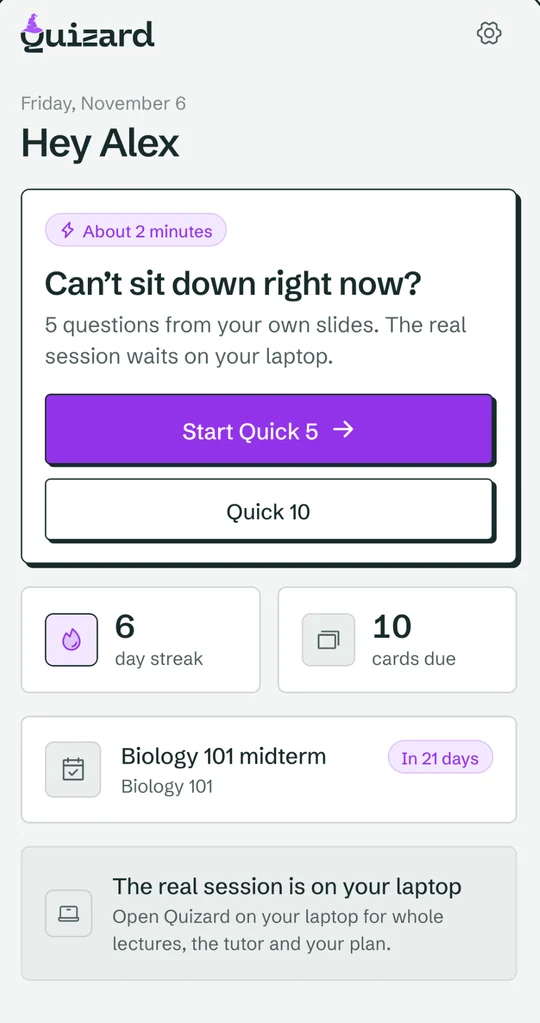

Your laptop does the studying. Your phone keeps the habit.
Pocket doesn’t replace your study sessions. It makes sure you show up for them, and turns dead time into a few easy points.
Add your lectures on the laptop
Upload slides in Quizard on your computer. It writes questions and flashcards from every slide.
Sign in on your phone
Download Quizard: Pocket and sign in with the same email. A code arrives in your inbox, no password needed.
Pick your nudge times
Choose when you want a reminder. When it comes, do 5 or 10 questions, then get on with your day.
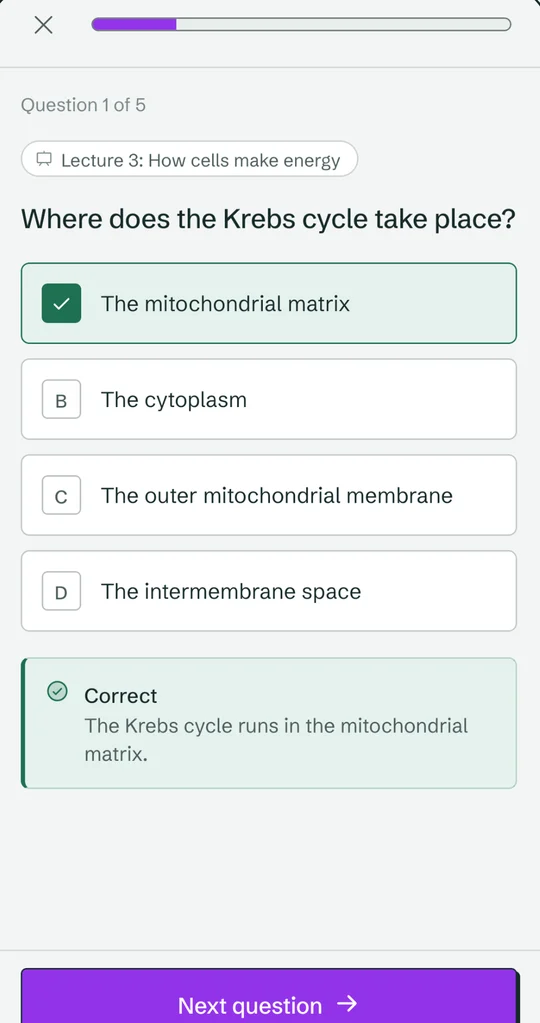
Questions from your lectures, answered in two minutes.
Every question comes from your own slides and shows which lecture it is from. Get one wrong and you see why straight away. Your exam course comes first, so the minutes go where they count.
- Quick 5 or Quick 10, whichever fits the moment.
- Due flashcards and weak questions, not random ones.
- Your streak counts, wherever you practise.
Frequently asked questions
Is Quizard: Pocket free?
Yes. The app is free to download, and studying your own material is free on every plan.
Is there an Android app?
It is coming soon to Google Play. Until then, Quizard works in any phone browser, and you can add it to your home screen.
Do I need an account?
Yes. Pocket uses your Quizard account, so create one on the web first and add a lecture. Then sign in on your phone with the same email.
Can I upload slides from my phone?
Lectures are added on the web, where you can see every slide. The phone app is for practising them in short bursts.
Why not study everything on my phone?
Whole lectures, the slide map and the tutor need a bigger screen. The phone is for keeping it going on days you can’t sit down, so you never fall behind.
Do my answers count towards my streak and reviews?
Yes. Every answer on your phone updates the same cards, weak topics and streak you see on your laptop.
Two minutes is enough.
Get Pocket on your phone and let the nudges do the remembering.