Bring the material to Quizard. Don’t change how you read.
Students read in Goodnotes, Notability or on paper, keep files in Drive and group chats, and study with ChatGPT and Anki. Quizard is where all of it lands and turns into practice.
Bring it in
Material arrives from wherever it already lives.
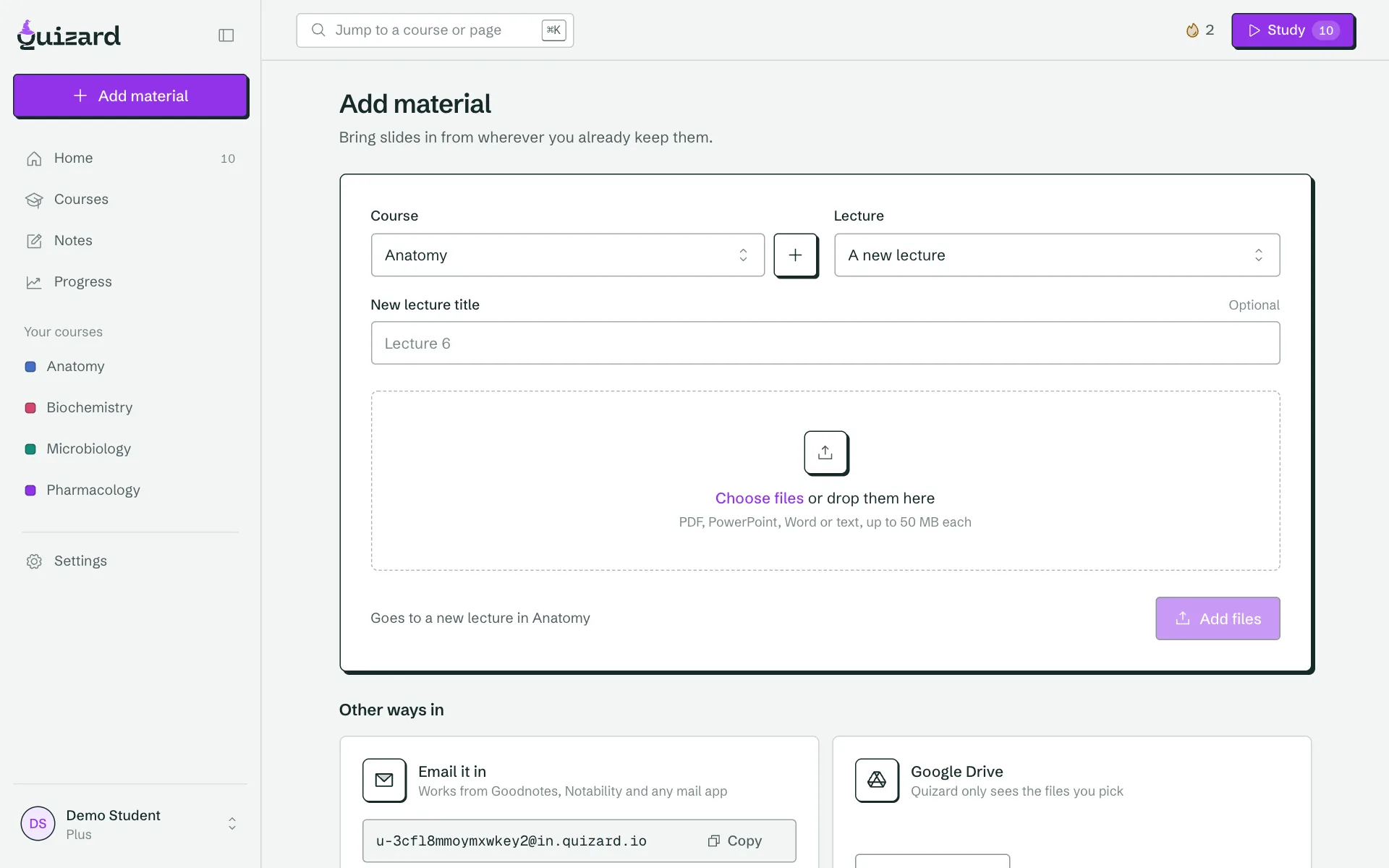
- Email-inForward any PDF to your private Quizard address. Mail from your account email is accepted; anything else waits for your OK.
- Share menu and Apple ShortcutSend files from your phone or iPad, including Goodnotes and Notability exports.
- Google DrivePick the files to import. Quizard sees only what you choose.
- Dropbox and OneDrivePick a file or a shared link and Quizard fetches it.
- NotionImport the pages you share with Quizard.
- Browser extensionSave a course page or PDF from Canvas, Moodle or anywhere, in one click.
- Lecture recordingsUpload a recording and practise from the transcript. The audio is deleted afterwards.
Stay on schedule
Exam dates in, daily sessions out.
- Course calendarsPaste a Canvas, Moodle or Brightspace link. You confirm which events are exams.
- Your Quizard calendarSubscribe in Google, Apple or Outlook to see exams and your daily session.
- RemindersEmail, push and Discord reminders that name your course.
Take it with you
Nothing about your cards is locked in.
- Anki and CSV exportExport any deck or course on any plan, free, whenever you like.
- Anki and Quizlet importBring the decks you already built.
- Class sharingShare a course with classmates through a private invite link, and revoke it any time.
Keep studying in Claude or ChatGPT, with Quizard as the memory.
Students already run their material through AI assistants, then copy the output into Anki. The Quizard MCP server makes Quizard the destination of that loop. What you make in a chat is saved to the right course, linked to the slide and scheduled for review, and your assistant can read your progress and quiz you on weak topics.
Connecting is free on every plan. You sign in once, choose what the assistant may do, and can disconnect any app from settings. Support varies by assistant and plan.
What your assistant can do
list_coursesYour courses, lectures and exam datesget_due_reviewToday’s sessionget_weak_topicsWhere you score lowestget_coverageWhat you have practised before an examadd_materialSave text, a link or a file to a lecturecreate_flashcardsSave cards it wrote, with the source slidecreate_quizSave questions it wroterecord_answerLog a result so scheduling stays correctset_exam_dateAdd or change an exam
How students connect Quizard to the way they already study.
Annotate on iPad, practise in Quizard
Take notes in Goodnotes or Notability as usual. When the lecture ends, share the PDF to Quizard with the Apple Shortcut or email it to your private address. It lands in the right course, ready to turn into questions.
Pull in exam dates from your course calendar
Paste the calendar link from Canvas, Moodle or Brightspace. Quizard lists the events that look like exams and you confirm which are real, so coverage and your daily session count down to the right day.
Make cards in Claude, keep them in Quizard
Ask Claude to write flashcards from a lecture. Through the MCP server, they are saved to the correct course, linked to the slide and added to your review schedule, instead of living in a chat you will never reopen.
Start with one file.
Send a lecture from the app you already use and see the questions Quizard writes from it.
Frequently asked questions
Can I import from Goodnotes or Notability?
Yes. Export or share the notebook as a PDF and send it to Quizard by email, the share menu or the Apple Shortcut. Quizard reads the PDF page by page, so your annotated slides become a lecture you can practise from.
Which cloud services does Quizard connect to?
Google Drive, Dropbox, OneDrive and Notion. You choose the files or pages to import, and Quizard sees only those, not your whole account.
What is MCP and why would I use it?
MCP, the Model Context Protocol, is a standard way for AI assistants such as Claude to use external tools. Connecting Quizard lets your assistant read your courses, due reviews and weak topics, and save cards and quizzes to your account.
Does it work with ChatGPT?
Quizard works with assistants that support MCP connectors. Support varies by assistant and plan, and the setup page in settings shows the steps for each.
How do exam dates sync from Canvas or Moodle?
Paste your course calendar link into Quizard. It finds events that look like exams and asks you to confirm them. You can also subscribe to a Quizard calendar in Google, Apple or Outlook to see exams and your daily session.
Is the email-in address private?
Yes. Each account has its own address. Mail from your account email is accepted automatically, and anything from another sender waits for your approval before it is added.
Are integrations free?
Yes. Importing, the browser extension, calendars and the MCP connection are free on every plan. Only AI generation volume is limited by plan.
Can I export my cards out of Quizard?
Always. Export any course or deck to Anki or CSV on every plan, and import existing Anki and Quizlet decks too.