

Everything you need to practise from your own slides.
Quizard is the practice layer on top of wherever you read. Here is what happens after you add a lecture.
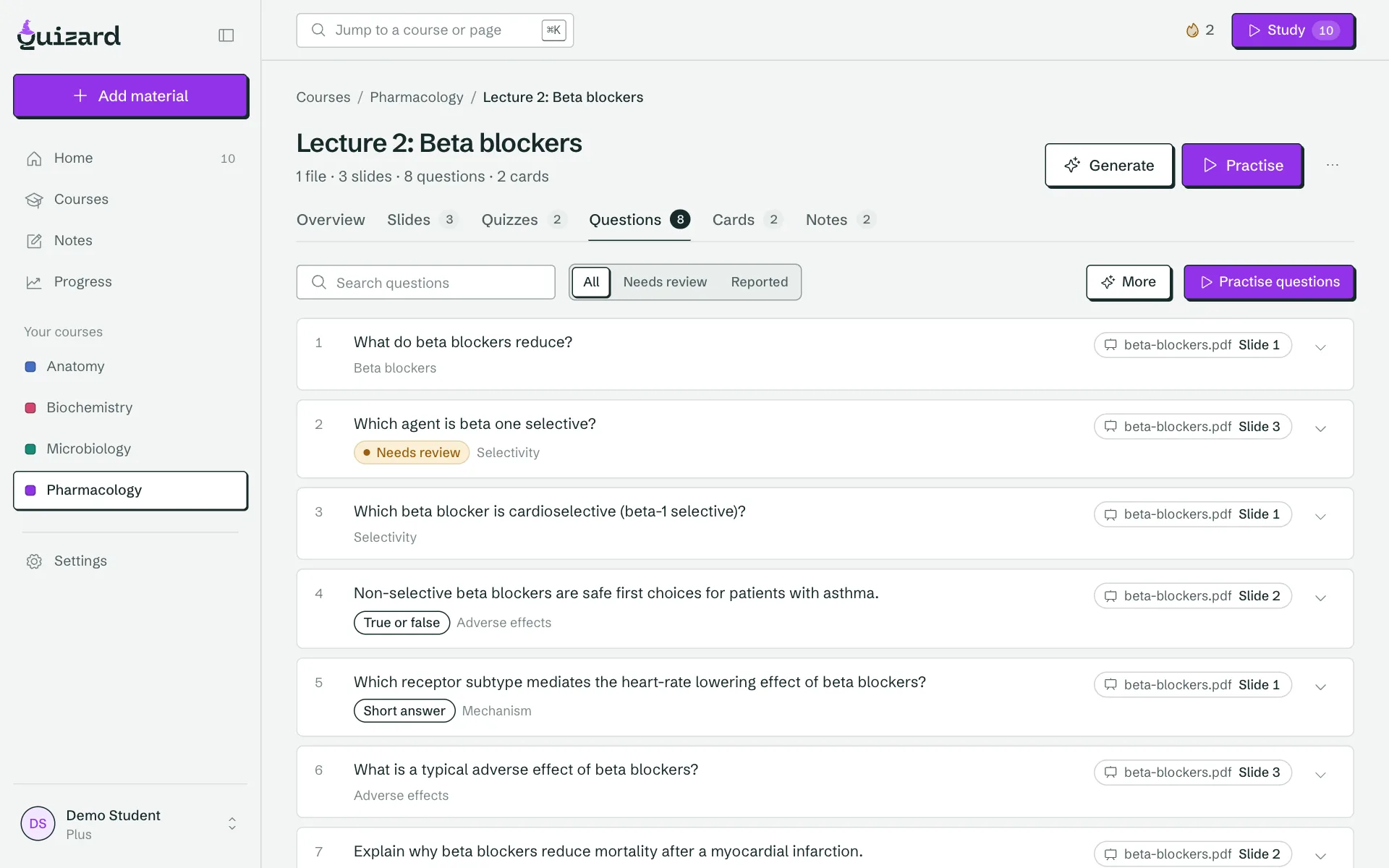
Every question and card shows its slide.
Quizard writes questions and flashcards from your own files, then checks each one against the page it came from. Tap the slide chip to see the source. Anything that cannot be matched to a slide stays out of practice until you fix it.
- Open the slide behind any question or card.
- Verbatim mode copies your wording instead of paraphrasing it.
- Edit any item, or report a bad question while you practise.
- Multiple choice, true or false, short answer and essays graded by AI.
Did you cover slide 42? Quizard knows.
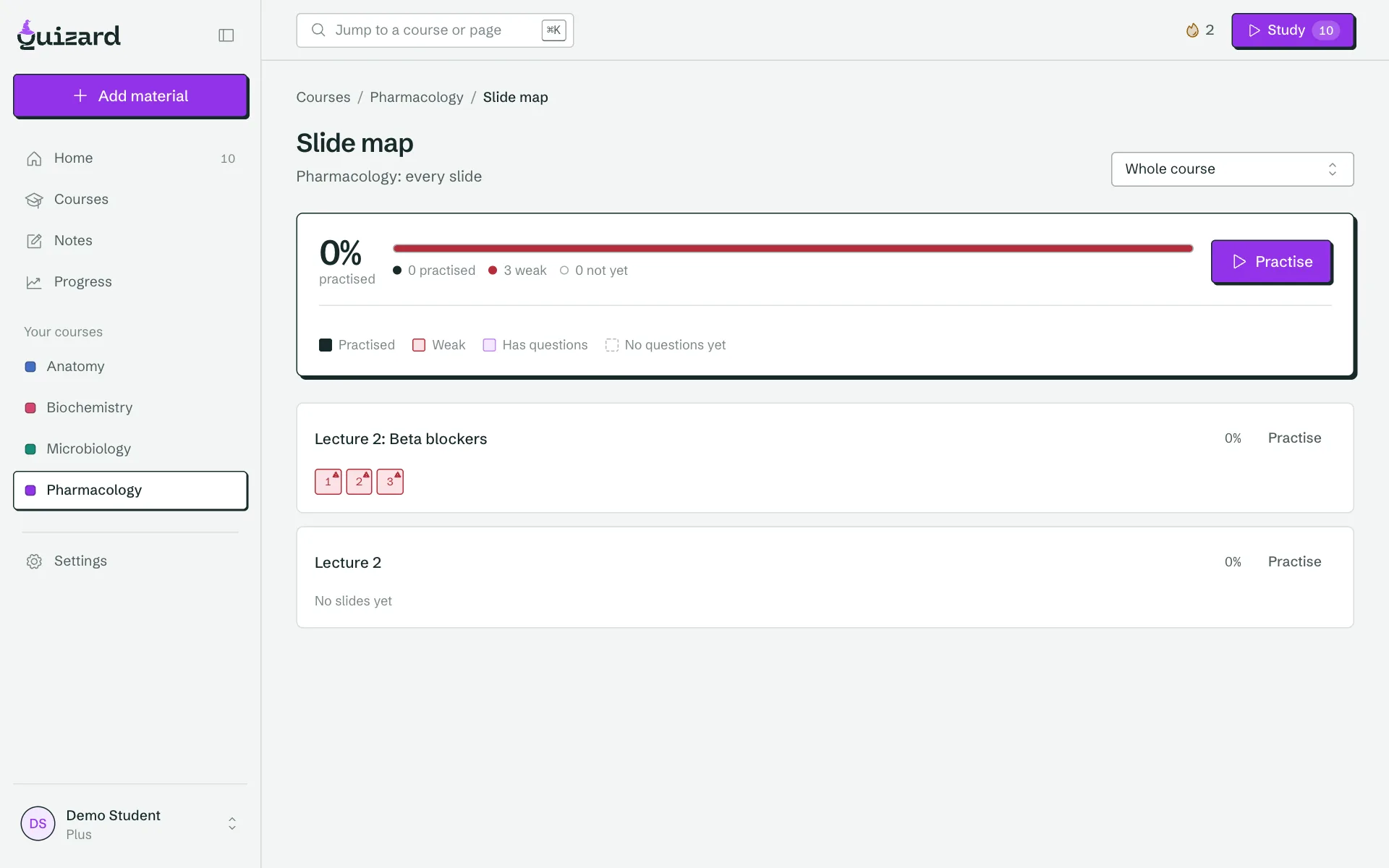
When your school writes the exam, no ready-made deck covers your professor’s details. The slide map marks every slide in every lecture as practised, weak, or not yet covered, so the last week goes to what is left.
- Practised, weak or not yet, slide by slide.
- Weak topics come back for re-quizzing automatically.
- Exam dates per course, with coverage counting down to the day.
- Part of Plus. The percentage per lecture is free.
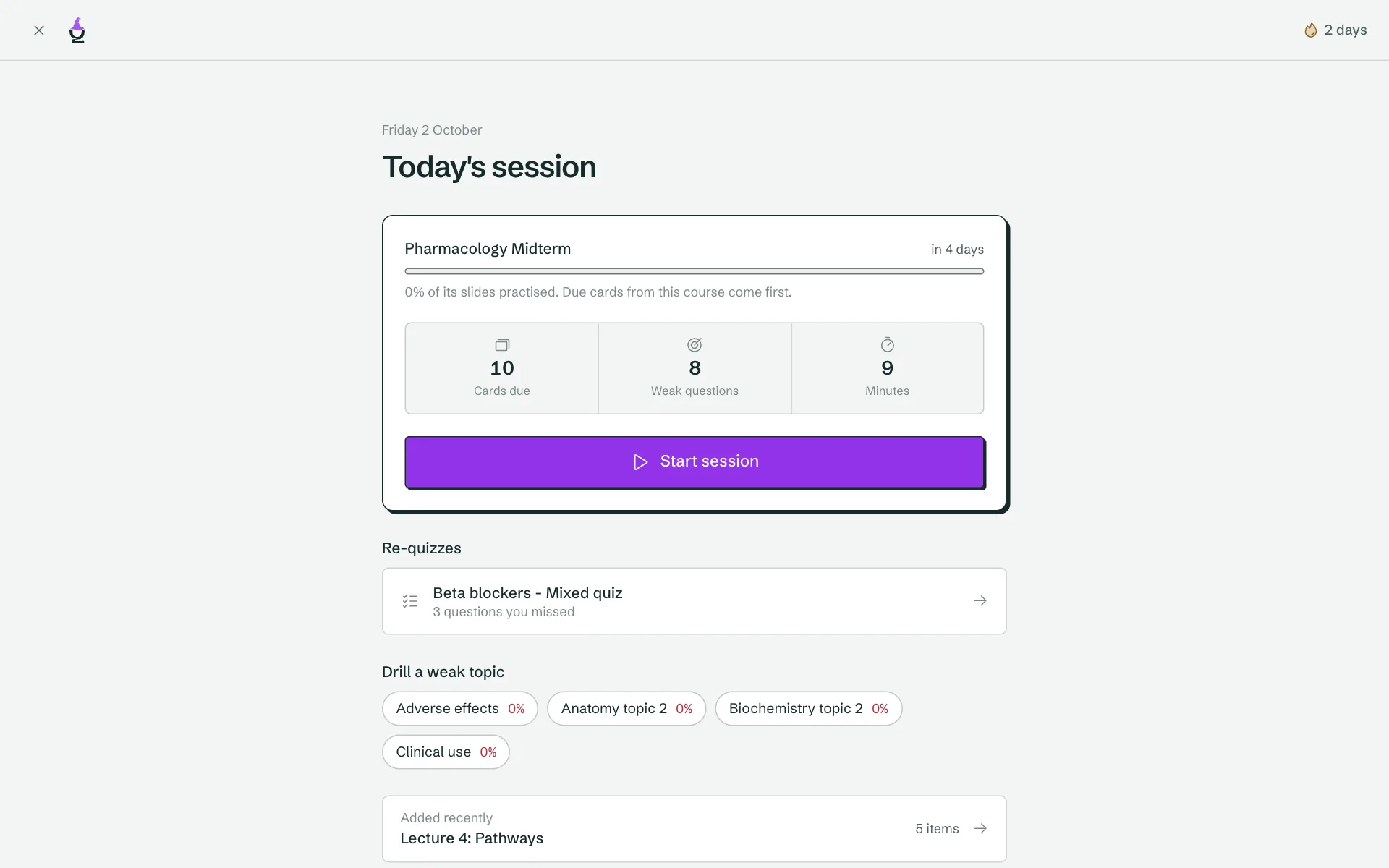
Fifteen minutes a day, already planned.
Getting started is the hard part, so Today is one button. Due cards, questions you missed and recent lectures are mixed into a short session built around your next exam. Nothing stops halfway.
- Spaced repetition decides which cards come back.
- Re-quizzes bring back the questions you got wrong.
- Reminders by email, push and Discord that name your course.
- A streak that follows finishing the session, not logging in.
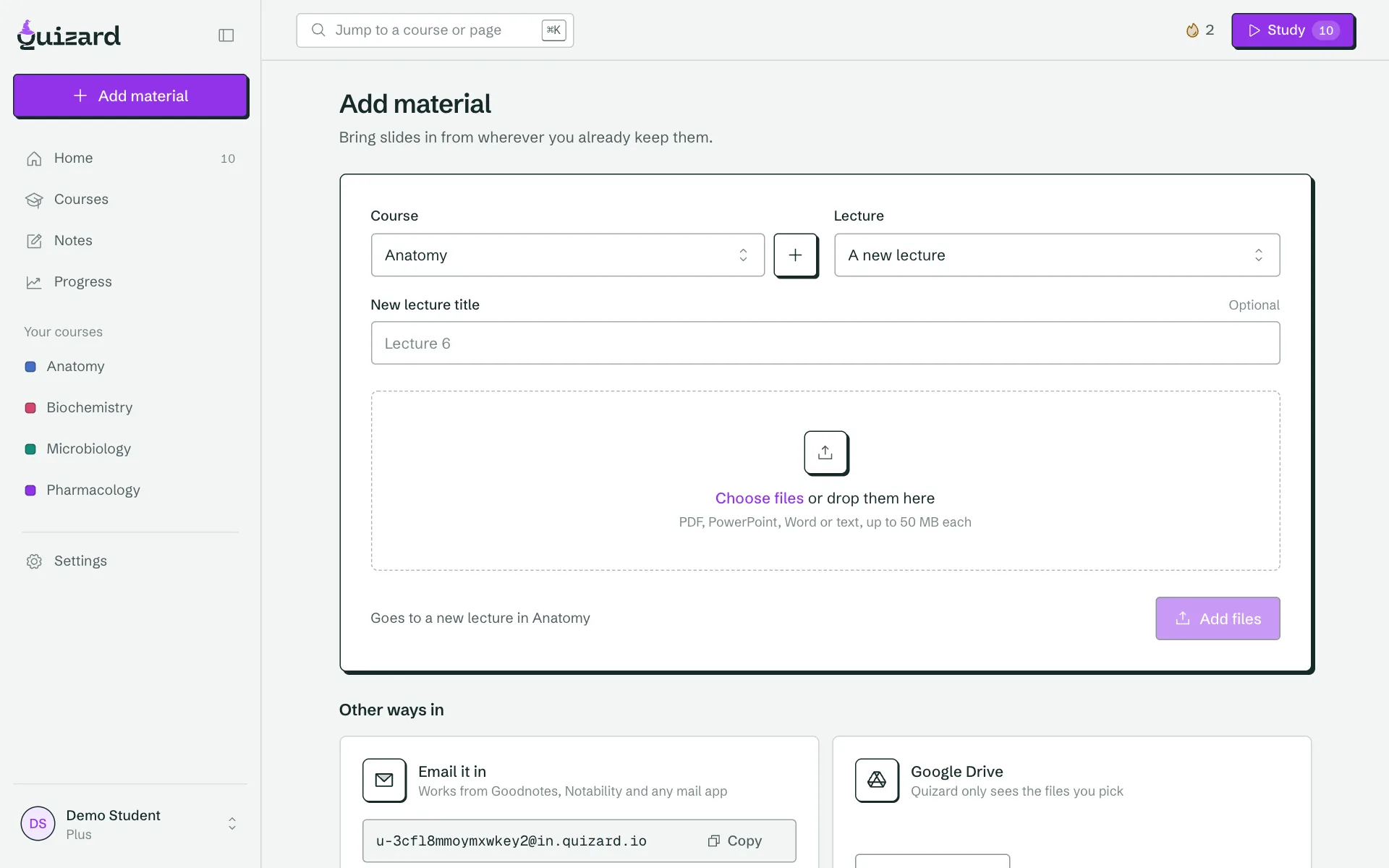
Bring any file. Keep reading where you read.
Upload PDFs, slides, Word files, notes or a lecture recording, or send them in from the apps you already use. Quizard keeps the files and reads them page by page, so you do not copy anything into another tool.
- PDF, PPTX, DOCX, text and Markdown files.
- Lecture recordings become transcripts you can practise from.
- Forward slides by email, or share them from your phone.
- Courses and lectures keep everything for one class together.
See what is working, course by course.
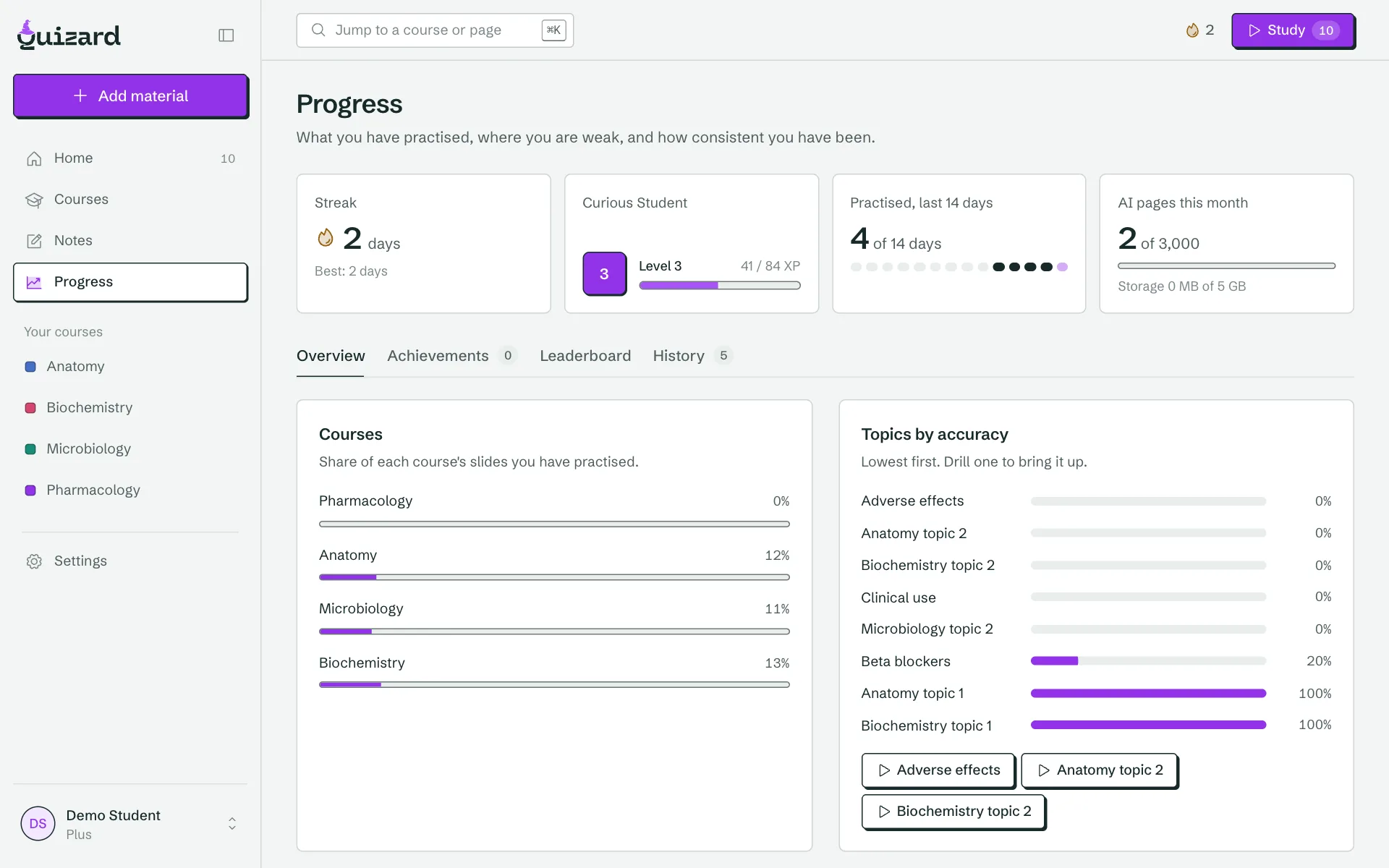
Progress shows accuracy, weak topics and how much you practised, per course and per lecture, so you can decide where the next session should go.
- Accuracy and activity over time.
- Your weakest topics, ready to drill.
- XP, levels and a leaderboard if you like them. Easy to ignore if you do not.
Stuck on a slide? Ask the slide.
The tutor sits next to the slide you are reading and answers only from your own files, with the page it used. It is not a general chat. Highlight a passage and turn it into a few cards or questions in one tap.
- Answers from your slides only Each reply points to the slide it came from.
- Highlight to practise Make up to five cards or questions from a passage.
- Section checks as you read A short check after every five slides.
- Slide notes Type a note on any slide and find it in the lecture.
Features that follow the research on learning.
Every part of the workspace maps to a method that is known to improve recall.
Retrieval practice
Questions and flashcards make you pull answers from memory, which strengthens recall far more than rereading slides. Open answers, short answers, true or false and multiple choice are all graded in the same place.
Spaced repetition
Cards return at growing intervals based on your recall rating. You never decide what to review: due cards are already in your daily session.
Interleaving
Mixed quizzes across lectures train you to pick the right approach, the way the real exam does, instead of drilling one topic until it feels easy.
Source checking
Because every item links to its slide, you can catch an AI mistake in one tap, and report it so it stays out of your practice.
Try it on one lecture.
Take the free diagnostic, then add a lecture of your own. No account to start.
Frequently asked questions
What does Quizard generate from my slides?
Multiple choice, true or false, short answer and essay questions, clinical vignettes and flashcards. Each one is linked to the slide it came from, and you can choose verbatim mode to copy your wording instead of paraphrasing.
How does Quizard check that a question is correct?
Every generated item is matched back to a passage on a slide. Items that cannot be matched stay out of practice until you edit or delete them. You can also edit any item and report a bad question.
What is the slide map?
A grid of every slide in a lecture or course, marked practised, weak or not yet covered based on your answers and reviews. It is part of Plus. The percentage practised per lecture is free.
How does the daily session decide what to show me?
It mixes cards that are due, questions you got wrong recently and the topics you score lowest on, around your next exam date, and caps the session at about fifteen minutes.
What is the slide tutor?
A tutor that sits next to the slide you are reading and answers only from your own files, with the page it used. It is not a general chat. You get 30 questions a day on Free and 300 on Plus.
Can I take notes in Quizard?
Yes. Notes live with your lectures and support headings, lists, callouts and toggles. You can also add a note to any slide.
Can I practise by highlighting?
Yes. Highlight a passage on a slide and Quizard makes a few cards or questions from just that passage, up to five at a time.
Is there a leaderboard or XP?
There is, for students who like it: XP, levels and a leaderboard. It is easy to ignore and never gets in the way of studying.