
Managing Multiple University Course Materials
Nov 01, 2026 · 12 min read · The Quizard Team

Managing multiple university course materials efficiently is crucial for academic success. This involves setting up organized systems for your notes and slides, creating a clear study schedule that accounts for all deadlines, and employing effective learning techniques across subjects.
The challenge of balancing several courses often leads to disorganization, missed deadlines, and last-minute cramming. By establishing a robust system from the start, you can reduce stress, improve retention, and ensure comprehensive coverage of all your subjects.
Set Up a Centralized, Organized System
The foundation of managing multiple courses is a consistent and centralized organizational system. This applies to both physical and digital materials.
Digital Organization
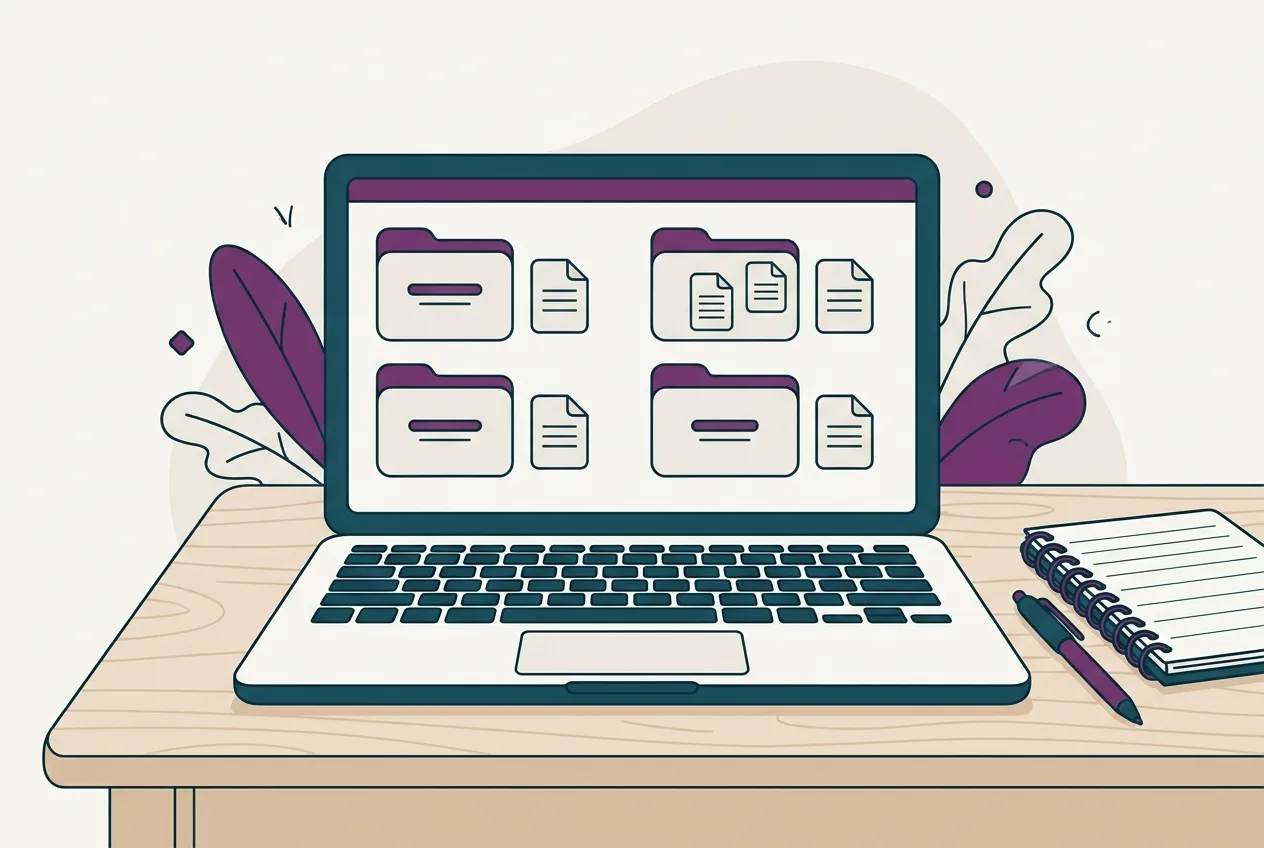
Create a main folder for your current academic term (e.g., "Fall 2024"). Inside this, create a separate subfolder for each course (e.g., "BIOL 101 - Cell Biology," "ENGL 205 - Shakespeare," "MATH 150 - Calculus I"). Within each course folder, further categorize materials:
- Lectures: For slides, lecture notes, and any audio/video recordings. Use a consistent naming convention, such as "BIOL101_Lec01_IntroToCells.pdf" or "ENGL205_Lec03_HamletThemes.pptx".
- Readings: For assigned articles, textbook chapters, or supplementary materials.
- Assignments: For homework, essays, lab reports, and their respective rubrics.
- Resources: For syllabi, contact information, and useful links.
Use cloud storage services like Google Drive, OneDrive, or Dropbox. This ensures your files are backed up, accessible from any device, and easy to share if you work in study groups. Regularly sync your files to avoid losing progress. Many students find that dedicating time each week to sort and name new files prevents clutter from building up. For more detailed advice on structuring your notes, refer to our guide on the best way to organize university notes for effective study.
Physical Organization
While many universities are digital-first, some courses still involve physical handouts or personal handwritten notes. Maintain a separate binder or folder for each course. Use dividers to organize materials within each binder by lecture date, topic, or type (e.g., notes, handouts, graded assignments). Color-coding your folders or notebooks for each course can provide a quick visual cue, helping you grab the right materials without hesitation. If you have loose papers, file them immediately to prevent them from becoming disorganized.
Develop a Comprehensive Study Schedule
A well-structured study schedule is essential for allocating time effectively across all your courses. It helps you visualize your commitments and dedicate sufficient time to each subject.
Create a Master Schedule
Start by mapping out all major deadlines, exams, and assignments from every course's syllabus onto a single calendar. Use a digital calendar (like Google Calendar, Outlook Calendar, or a dedicated planner app) that allows you to color-code entries by course. This gives you a high-level overview of your academic term and highlights busy periods. Plot assignments backward from their due dates to break them into smaller, manageable tasks. For example, if an essay is due in three weeks, plan when you will brainstorm, research, outline, write the first draft, and revise.
Weekly and Daily Planning
Based on your master schedule, create a more detailed weekly study plan. Allocate specific blocks of time for each course. For instance, "Monday 9-11 AM: BIOL 101 lecture review and practice problems," "Tuesday 2-4 PM: ENGL 205 reading and essay outlining." Ensure you schedule active study time for all subjects, not just those with immediate deadlines. Incorporate breaks and leisure activities to maintain balance and prevent burnout. On a daily basis, create a to-do list based on your weekly plan, prioritizing tasks that are most important or have looming deadlines. Regularly reviewing and adjusting your schedule will help you stay on track. For guidance on creating an effective study schedule, see our post on how to make a study schedule for finals.
Prioritize and Adapt
Not all tasks carry equal weight. Learn to prioritize using methods like the Eisenhower Matrix, categorizing tasks by urgency and importance. Focus on important and urgent tasks first, then important but not urgent tasks. This prevents you from spending too much time on less critical work. Be flexible with your schedule; unexpected events can occur. If you fall behind in one area, adjust your plan for the next day or week to catch up, rather than letting it derail your entire system.
Adopt Effective Note-Taking and Material Processing Strategies
Simply attending lectures and reading textbooks is not enough; you need to actively process information in a way that facilitates later recall and understanding.
Active Note-Taking
During lectures, avoid transcribing everything. Instead, focus on key concepts, definitions, and examples. Use a note-taking method that suits you, such as Cornell notes, outlining, or mind mapping. The Cornell method, for example, divides your paper into sections for main notes, cues/questions, and a summary, which can be useful for integrating information from different courses in a consistent format. When taking notes from slides, focus on adding context and elaborations that the lecturer provides. Many students find it helpful to review and refine their notes immediately after a lecture, filling in gaps or clarifying points while the information is still fresh. For further reading, explore our advice on how to take notes from lecture slides effectively.
Summarize and Synthesize
After each lecture or reading session, take a few minutes to summarize the main points in your own words. This active recall practice helps solidify the information. When managing multiple courses, try to identify connections or contrasts between subjects. For example, a historical context from a history class might illuminate themes in a literature class. Synthesizing information across courses can deepen your understanding and create a more integrated knowledge base.
Transform Material into Active Recall Questions and Flashcards
One of the most effective ways to process material for multiple courses is to convert it into formats that encourage active recall and spaced repetition. For each lecture or reading, create questions that you can answer without looking at your notes. These could be factual recall questions, application questions, or "why" and "how" questions.
Similarly, create flashcards for key terms, definitions, formulas, and concepts. Digital flashcard tools are particularly useful here because they can help you organize cards by course and topic. Tools like Quizard can generate exam-style questions and flashcards directly from your lecture slides or notes, ensuring every question links back to its source material. This makes it easier to review specific topics across different courses without mixing up your content.
Implement Active Recall and Spaced Repetition
Active recall and spaced repetition are powerful study techniques that are particularly effective when juggling multiple subjects, as they help you maximize retention with limited study time.
Active Recall
Instead of passively re-reading notes or highlighting, actively test yourself on the material. This could involve trying to recall information from memory, explaining concepts aloud without referring to notes, or answering practice questions. For example, if you have three history lectures to review, spend 15 minutes trying to recall everything from the first, then check your notes. Repeat for the second and third. This practice identifies knowledge gaps and strengthens memory pathways. Active recall forces your brain to retrieve information, making that information more accessible in the future. Our guide on active recall for exams offers more techniques.
Spaced Repetition
Spaced repetition involves reviewing material at increasing intervals over time. Instead of cramming all your biology review into one session, you might review it for 20 minutes today, again in three days, then a week later, and so on. This technique combats the forgetting curve and embeds information into your long-term memory. Digital flashcard apps are often built around spaced repetition algorithms, making it easier to manage review schedules for different courses. They present you with cards you are weaker on more frequently and push back cards you know well. When using such tools, ensure you categorize your flashcards by course to keep your study sessions focused on one subject at a time.
Monitor Your Coverage
When studying multiple courses, it's easy to focus too much on one subject or neglect another. Use a system to track which topics or slides you have studied and which still need attention. This could be a simple checklist, a spreadsheet, or a feature within a study platform. Some platforms, like Quizard, offer coverage maps that show you which slides or topics you've practiced and how well you know them, helping you ensure comprehensive preparation across all your courses.
Leverage Digital Tools for Multi-Course Management
Digital tools can significantly streamline the process of managing course materials. They offer features for organization, collaboration, and active learning.
File Storage and Collaboration
- Cloud Storage (Google Drive, OneDrive, Dropbox): As mentioned, these are invaluable for storing all your digital notes, slides, readings, and assignments. They offer robust search functions, version history, and easy sharing for group projects.
- Note-Taking Apps (Evernote, OneNote, Notion): These tools allow you to create, organize, and search notes across different courses. They can handle various media types (text, images, audio), and some offer web clipping features, useful for research. Notion, for instance, can be customized to create databases for each course, tracking assignments, resources, and lecture notes all in one place.
Task Management and Scheduling
- Project Management Tools (Trello, Asana, Todoist): While often used in professional settings, these can be adapted for academic use. Create a board for each course or for the entire term, with lists for "To Do," "In Progress," and "Completed." Assign due dates and labels to tasks. Todoist is a simpler task list application that integrates with many calendars, helping you keep track of all assignments and study tasks for every course.
- Calendar Apps (Google Calendar, Outlook Calendar, Apple Calendar): Integrate all your deadlines, lecture times, study blocks, and personal appointments into one centralized digital calendar. Use color-coding to distinguish between courses and personal events.
Study Platforms
- Quizard: Designed specifically for university students, Quizard helps you manage materials by allowing you to upload lecture slides, notes, or recordings and generate exam-style questions and flashcards from them. It automatically links questions to their source slides, provides a coverage map to track unpracticed material, and schedules spaced-repetition reviews. You can export everything to Anki or CSV. Quizard integrates with Claude or ChatGPT for AI generation of study materials, allowing you to quickly transform raw course content into actionable study tools for every subject you take. You can learn more about its capabilities on our features page.
- Anki: A powerful open-source flashcard program that heavily relies on spaced repetition. You can create decks for each course and customize card types. While it requires manual setup, its effectiveness for long-term retention is well-documented.
- Quizlet: Offers flashcards, practice quizzes, and study games. It's popular for creating quick study sets for different subjects.
Choosing the right combination of tools depends on your personal preferences and the specific demands of your courses. The goal is to create an integrated system that supports your study workflow, rather than adding more complexity.
Regular Review and Adjustment
Effective multi-course management is not a static process; it requires ongoing review and adaptation.
Schedule Dedicated Review Sessions
Beyond your daily study blocks, set aside weekly or bi-weekly review sessions. During these times, look back at the material from all your courses. This is an opportunity to identify any areas where you might be falling behind, consolidate knowledge, and ensure you are keeping up with the overall pace of each subject. Use active recall techniques during these reviews, such as attempting to answer past exam questions or explaining complex topics without notes.
Self-Assess and Adapt
Regularly assess your understanding. How well do you feel you understand the material from each course? Are there particular subjects or topics that consistently challenge you? Be honest with yourself about your progress. If a certain study strategy isn't working for a specific course, be prepared to adjust. For example, if you find that flashcards aren't effective for a conceptual course, try creating mind maps or writing summary essays instead. Continuously refining your approach based on what works best for you and for each subject is key to sustained success.
Avoid Burnout
Managing multiple courses can be demanding. Ensure you schedule regular breaks, maintain a healthy diet, get enough sleep, and engage in activities you enjoy outside of academics. Overworking yourself can lead to decreased productivity and burnout, hindering your ability to learn effectively across all your subjects.
By implementing a structured approach to organization, scheduling, active learning, and tool utilization, you can effectively manage multiple university course materials, reducing stress and improving your academic performance.
FAQ
How do I prevent confusing information between similar courses?
To prevent confusion, maintain strict separation in your notes and study materials for each course, even if topics overlap. Use distinct folder structures, color-coding, and clearly label all your documents. When studying, focus on one course at a time to minimize mental interference, and consciously note down similarities or differences if they arise.
What should I do if I fall behind in one course but need to keep up with others?
If you fall behind in one course, prioritize catching up on the most critical information and upcoming assignments first. Adjust your study schedule to dedicate temporary extra time to that course, possibly borrowing from less urgent tasks in other subjects. Communicate with your instructor if you are struggling significantly, but try to manage the workload yourself before seeking extensions.
Is it better to study one course at a time or switch between courses during a study session?
For deep work and initial learning, focusing on one course for a dedicated block of time (e.g., 60-90 minutes) is often more effective, as it minimizes task switching costs and allows for greater concentration. However, for review or spaced repetition, switching between different courses can be beneficial, as it introduces variety and allows the brain to consolidate information from previous sessions.
How can I make sure I'm studying everything for all my courses before exams?
Create a comprehensive study plan that maps out all exam topics for every course and allocates specific review time for each. Use active recall and spaced repetition consistently throughout the term, not just before exams. Tools that provide a coverage map, like Quizard, can help you visualize which material from each course still needs practice before the final exams.
Quizard turns your own lecture slides into questions that cite the slide.
Start free